On this page14 sections
Written by the technical delivery team at WebWise — a web design agency london and technical SEO agency UK that has audited, rebuilt, and ranked tradesman websites UK for over a decade. We have crawled thousands of trade sites, identified every technical fault that kills rankings, and fixed them. The audit steps in this guide are the same ones we run on every client site. No theory. Just the checks that move the needle.
Table of Contents
Why Technical SEO Is the Hidden Engine Behind Every Successful Trade Website
The 2026 Technical SEO Landscape: What Google Actually Cares About
Crawlability and Indexability: Can Google Even Find Your Site?
Mobile-First and Responsive Design: The 80 Percent Rule
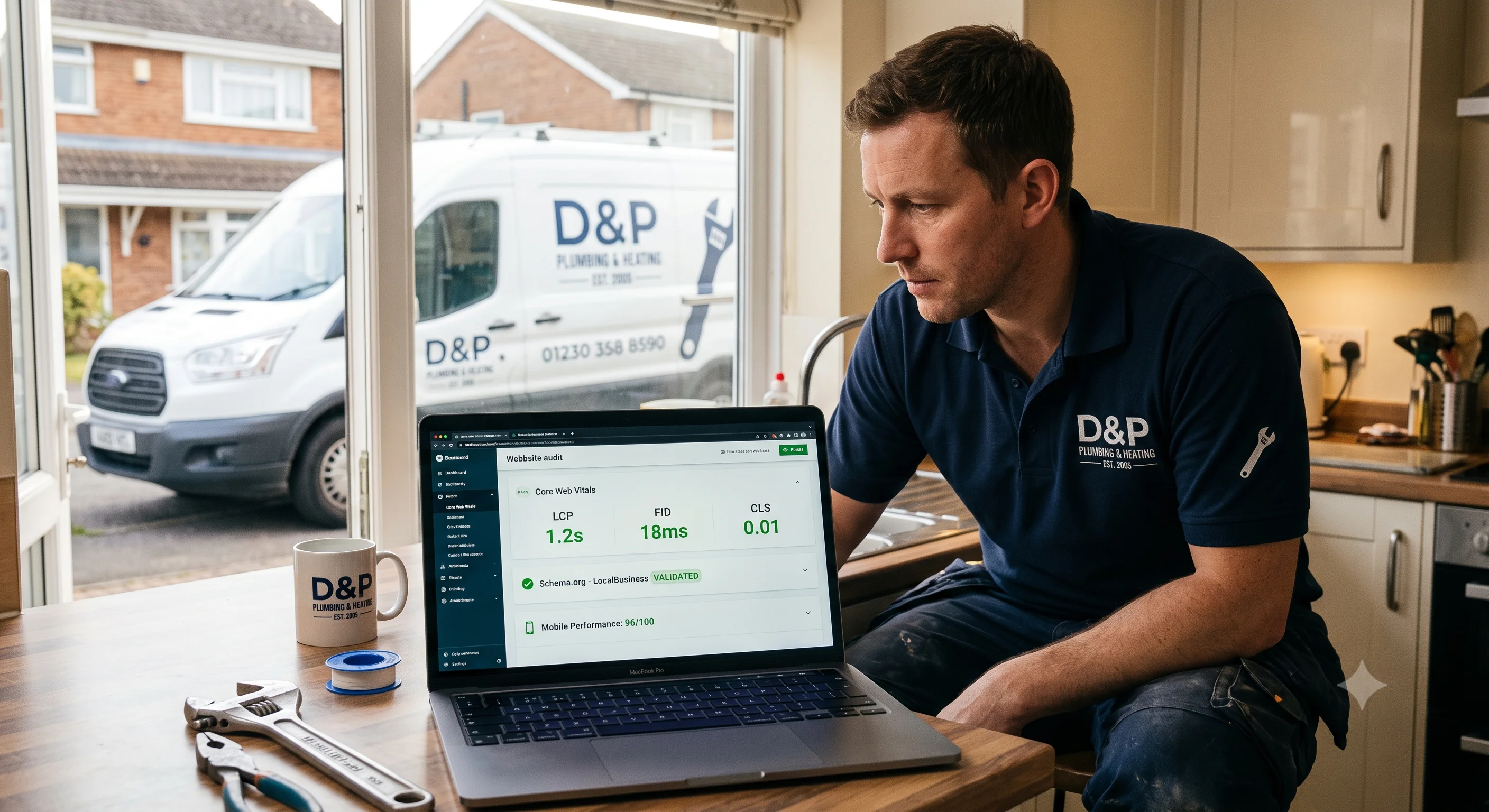
Core Web Vitals: Speed, Interaction, and Stability
Schema Markup: Speaking Google's Language
URL Structure, Canonicals, and Redirects: The Architecture of Authority
Security, HTTPS, and Trust Signals
Internal Linking and Site Architecture for Trade Websites
Image Optimisation and Media Handling
The 30-Day Technical SEO Fix Plan
Conclusion: When to DIY and When to Call the Experts
1. Why Technical SEO Is the Hidden Engine Behind Every Successful Trade Website
You can write the best service page in the world. You can have five hundred glowing Google reviews. You can run the most persuasive Facebook ad campaign in your county. But if your website has a technical problem — a crawl error, a broken redirect, a slow server, missing schema — Google will not show you to anyone. And all that effort goes to waste.
This is the reality most tradesmen never hear. They think SEO is about keywords and blog posts. It is not. SEO is about building a website that Google can find, understand, trust, and serve to searchers. And the foundation of that is technical SEO.
In 2026, technical SEO has become even more critical. Google's crawlers are more sophisticated, but they are also more demanding. The March 2026 Core Update placed heavier weight on user experience signals, page stability, and structured data accuracy. Sites with clean technical foundations surged. Sites with underlying issues — even those with great content — dropped.
If you are a plumber in Manchester, a builder in Bristol, or an electrician in Glasgow, you do not need to become a developer. But you do need to understand whether your site is technically sound. Because if it is not, you are invisible to the very people who need you most.
This guide is a complete technical audit. Work through it step by step. Each section tells you what to check, why it matters, how to check it, and what good looks like. By the end, you will either know exactly what to fix — or exactly what to ask when you hire web development agency professionals to fix it for you.
2. The 2026 Technical SEO Landscape: What Google Actually Cares About
Before we open any tools, we need to understand what Google is actually measuring in 2026. The algorithm has evolved far beyond counting keywords and checking meta tags.
The Four Pillars of Technical SEO in 2026
Pillar One: Crawl Efficiency
Google has a crawl budget for every site. It will not crawl infinite pages. If your site is slow, bloated, or full of errors, Googlebot gives up and leaves. That means your new service pages, your area pages, your blog posts — they never get indexed. They never rank. They might as well not exist.
Pillar Two: Rendering and Interactivity
Google now renders pages using a modern browser engine — Chrome 120+. If your site relies on heavy JavaScript to display content, and that JavaScript fails or loads slowly, Google sees a blank page. This is a particular problem for trade sites built on page builders that inject content via JavaScript after the initial load.
Pillar Three: User Experience Signals
Core Web Vitals — Largest Contentful Paint, Interaction to Next Paint, and Cumulative Layout Shift — are not just nice-to-have metrics. They are ranking factors. A site that loads in four seconds on mobile is at a measurable disadvantage against a competitor that loads in one.
Pillar Four: Structured Data and Entity Understanding
Google no longer relies solely on parsing text. It wants structured, machine-readable data. Schema markup tells Google exactly what your business is, where you are, what you do, and what your customers think of you. Without it, Google is guessing. And Google does not like guessing.
The Trade Website Problem
Most trade websites are built on WordPress with off-the-shelf themes, twenty plugins, and a £3-per-month hosting plan. They were built by a generalist who did not understand technical seo and web design for the trade sector. The result is a site that looks fine to a human but is a mess to a search engine.
The good news? Technical SEO is fixable. Unlike content, which takes months to build authority, a technical fix can show ranking improvements within days. That is why a proper technical audit is the highest-ROI activity you can do for your trade website.
3. Crawlability and Indexability: Can Google Even Find Your Site?
If Google cannot crawl your site, nothing else matters. This is the first thing we check on every audit.
The Robots.txt Check
Your robots.txt file tells search engines what they are allowed to crawl. It lives at yoursite.com/robots.txt.
What to check:
Is your entire site accidentally blocked? We have seen trade sites with
Disallow: /in their robots.txt because a developer forgot to remove it after launch.Are your important pages blocked? Some WordPress security plugins block
/wp-content/aggressively, which can prevent Google from accessing CSS and JavaScript files needed for rendering.Is your sitemap referenced? A good robots.txt should include a line like
Sitemap: https://yoursite.com/sitemap.xml.
How to check: Visit yoursite.com/robots.txt in your browser. Read it. If you see Disallow: / anywhere, that is an emergency.
The XML Sitemap Check
Your sitemap is a list of all the pages you want Google to index. It should be submitted to Google Search Console and kept up to date.
What to check:
Does the sitemap exist? Visit
yoursite.com/sitemap.xmloryoursite.com/sitemap_index.xml.Are all your important pages included? Service pages, area pages, about, contact.
Are there junk pages included? Tag pages, author pages, attachment pages — these dilute your crawl budget.
Is the sitemap under 50,000 URLs? If you have more, split into multiple sitemaps.
How to check: Use Google Search Console. Go to Sitemaps. Check the status of your submitted sitemap. If it says "Success," you are good. If it says "Has errors," click through and see which URLs are problematic.
The Noindex Tag Check
A noindex tag tells Google not to include a page in search results. It is useful for admin pages, thank-you pages, and duplicate content. It is disastrous if it appears on your homepage or service pages.
What to check:
View the page source of your homepage. Search for
noindex. If you find<meta name="robots" content="noindex">, that page is invisible to Google.Check your service pages and area pages. We have seen page builders accidentally add noindex tags to custom post types.
How to check: Use a tool like Screaming Frog (free for up to 500 URLs) or the free version of Sitebulb. Crawl your site and filter for "noindex" pages. Review every single one.
The Canonical Tag Check
Canonical tags tell Google which version of a page is the primary one. They prevent duplicate content issues. But incorrect canonicals can cause pages to be ignored.
What to check:
Every page should have a self-referencing canonical tag pointing to itself.
If you have similar area pages (e.g., "Plumber in Croydon" and "Plumber in Bromley"), each should canonicalise to its own URL, not to a generic page.
Avoid canonical chains where Page A points to Page B, and Page B points to Page C.
How to check: Screaming Frog. Filter for canonicals. Look for non-self-referencing canonicals and investigate each one.
The Orphan Page Check
An orphan page is a page with no internal links pointing to it. Google discovers pages by following links. If nothing links to your new service page, Google may never find it.
What to check:
Every page on your site should be reachable within three clicks from the homepage.
Your most important pages — services, areas, contact — should be linked from the main navigation and the footer.
Blog posts should link to relevant service pages.
How to check: Screaming Frog or Sitebulb. Look for pages with zero inlinks. If an important page has no internal links, add them.
4. Mobile-First and Responsive Design: The 80 Percent Rule
Google has been mobile-first since 2019. In 2026, it is mobile-only in practice. If your trade site does not perform flawlessly on a phone, you are not competing.
The Mobile-First Indexing Reality
Google predominantly uses the mobile version of your site for indexing and ranking. That means whatever your mobile site shows is what Google evaluates. If your desktop site is beautiful but your mobile site is broken, Google sees a broken site.
For trade businesses, this is especially critical because over 80 percent of local searches happen on mobile. A homeowner with a burst pipe is not sitting at a desk. They are standing in a puddle, holding a soaked iPhone, searching for an emergency plumber. If your site does not load instantly, display your phone number prominently, and allow one-tap calling, you have already lost them.
The Mobile Audit Checklist
Viewport Configuration: Check that your site has a proper viewport meta tag: <meta name="viewport" content="width=device-width, initial-scale=1">. Without this, mobile browsers will scale your desktop site down to a tiny, unreadable size.
Tap Target Size: Buttons and links should be at least 48 pixels by 48 pixels. Your click-to-call button, your quote form submit button, your navigation menu items — if they are too small, users miss them and get frustrated.
Font Size: Text should be readable without zooming. A minimum of 16 pixels for body text is the standard. Anything smaller, and mobile browsers auto-zoom on input fields, which breaks the user experience.
Content Parity: Your mobile site should contain the same content as your desktop site. Do not hide paragraphs, images, or reviews on mobile to save space. Google considers this cloaking if the content is substantially different.
Interstitials and Pop-ups: Google penalises intrusive interstitials on mobile. A full-screen email capture popup that covers the content on first load will hurt your rankings. If you must use pop-ups, make them small, dismissible, and delayed.
How to Test
Use Google's Mobile-Friendly Test. Enter your URL. It will tell you whether Google considers your page mobile-friendly and flag any issues.
Use Chrome DevTools. Press F12, click the device toggle, and view your site on iPhone SE, iPhone 14, and Samsung Galaxy dimensions. Scroll through every page. Tap every button. If anything feels awkward, fix it.
5. Core Web Vitals: Speed, Interaction, and Stability
Core Web Vitals are the three metrics Google uses to measure real-world user experience. They are not abstract technical scores. They directly impact rankings and conversions.
Largest Contentful Paint (LCP)
LCP measures how long it takes for the largest visible element on your page to load. For a trade website, this is usually your hero image or your headline.
Target: Under 2.5 seconds.
Why it matters for trades: A homeowner searching for an emergency plumber does not wait. If your hero image of a smiling plumber takes four seconds to appear, they have already hit the back button and called your competitor.
How to improve:
Optimise your hero image. Use WebP or AVIF format. Compress it. A 200KB hero image loads in under a second on 4G. A 2MB hero image takes five seconds.
Use a content delivery network (CDN) like Cloudflare. Serve images from servers close to your visitor.
Preload your hero image:
<link rel="preload" as="image" href="hero.webp">.Remove render-blocking resources. Defer non-critical CSS and JavaScript.
Interaction to Next Paint (INP)
INP replaced First Input Delay (FID) in 2024. It measures how quickly your page responds to user interaction — a tap, a click, a key press.
Target: Under 200 milliseconds.
Why it matters for trades: A customer taps your click-to-call button. Nothing happens for a second. They tap again. Now the page lags. They leave. That is a lost job.
How to improve:
Break up long JavaScript tasks. If your page builder injects a 500ms JavaScript file, split it.
Use browser caching for static assets.
Minimise third-party scripts. Live chat widgets, review feeds, and tracking pixels all add INP delay. Load them asynchronously or defer them.
Cumulative Layout Shift (CLS)
CLS measures visual stability. Does your page layout shift unexpectedly as elements load? A button that moves just as a user tries to tap it is a classic CLS failure.
Target: Under 0.1.
Why it matters for trades: A customer goes to tap your "Get a Quote" button. An image above it finally loads and pushes the button down. They tap the wrong thing or miss entirely. Frustration. Bounce. Lost lead.
How to improve:
Always specify width and height attributes on images and videos. This reserves space before the media loads.
Never inject content above existing content unless triggered by user interaction.
Be careful with dynamic content like review feeds or live chat widgets that load late and push content around.
The Core Web Vitals Audit Process
Go to Google PageSpeed Insights.
Enter your homepage URL. Click Analyse.
Review the mobile scores first — remember, mobile is what Google indexes.
Note your LCP, INP, and CLS scores.
If any are in the red or yellow, read the specific opportunities listed.
Run the same test on your top three service pages and your top three area pages.
Prioritise fixes based on traffic. Fix your homepage first, then your highest-traffic service pages.
The honest truth: most trade websites fail Core Web Vitals because of cheap hosting, bloated page builders, and unoptimised images. Achieving core Web Vitals optimization for contractors is not magic. It is discipline. Compress images, clean code, use quality hosting, and defer non-essential scripts.
6. Schema Markup: Speaking Google's Language
Schema markup is structured data that helps Google understand your content. It is invisible to visitors but incredibly powerful for SEO. Proper schema can enable rich results — enhanced search listings with star ratings, prices, business hours, and more.
The Essential Schema Types for Trade Websites
LocalBusiness Schema: This tells Google your business name, address, phone number, hours, and service area. It is the foundation of local SEO.
JSON
{
  "@context": "https://schema.org",
  "@type": "Plumber",
  "name": "Hawthorn & Sons Plumbing",
  "image": "https://yoursite.com/logo.jpg",
  "address": {
    "@type": "PostalAddress",
    "streetAddress": "123 High Street",
    "addressLocality": "Croydon",
    "addressRegion": "London",
    "postalCode": "CR0 1AA",
    "addressCountry": "UK"
  },
  "geo": {
    "@type": "GeoCoordinates",
    "latitude": "51.3761",
    "longitude": "-0.0982"
  },
  "url": "https://yoursite.com",
  "telephone": "+441234567890",
  "priceRange": "££",
  "openingHoursSpecification": [
    {
      "@type": "OpeningHoursSpecification",
      "dayOfWeek": ["Monday", "Tuesday", "Wednesday", "Thursday", "Friday"],
      "opens": "08:00",
      "closes": "18:00"
    }
  ]
}
Service Schema: Describes each service you offer. Include the service name, description, provider, and area served.
Review Schema: Aggregates your reviews and can trigger star ratings in search results. Connect this to your live Google reviews feed if possible.
FAQ Schema: Mark up your FAQ sections. This makes them eligible for rich snippets and can help you capture the "People Also Ask" box.
Breadcrumb Schema: Helps Google understand your site structure and can enhance your search listings with breadcrumb navigation.
The Schema Audit Checklist
[ ] Does your homepage have LocalBusiness schema?
[ ] Does each service page have Service schema?
[ ] Do your review pages have AggregateRating schema?
[ ] Do your FAQ sections have FAQPage schema?
[ ] Is your NAP information in schema identical to your Google Business Profile?
[ ] Have you tested your schema with Google's Rich Results Test?
[ ] Are there any schema errors or warnings in Google Search Console?
Common Schema Mistakes
Mismatched NAP: Your schema says "CR0 1AA" but your GBP says "CR0 1A A" or your footer says "Croydon, Surrey." Google gets confused. Consistency is everything.
Wrong Business Type: Using generic "LocalBusiness" instead of a specific subtype like "Plumber," "Electrician," or "HVACBusiness." Specificity helps.
Schema That Does Not Match Visible Content: Your schema claims you have a 5.0 rating based on 200 reviews, but your page shows 3.8 based on 12. This is misleading and can trigger penalties.
Implementing local schema markup for trade businesses correctly is technical work. If you are not comfortable editing theme files and testing JSON-LD, this is an area where professional support pays for itself.
7. URL Structure, Canonicals, and Redirects: The Architecture of Authority
Your URL structure is the skeleton of your site. A clean, logical structure helps Google understand your content and helps users navigate. A messy structure confuses everyone.
URL Structure Best Practices for Trade Sites
Descriptive and Readable: A URL should tell you what the page is about before you even click it.
Bad: yoursite.com/page.php?id=123&cat=plumbing
Good: yoursite.com/services/boiler-repair-croydon
Lowercase and Hyphenated: Use hyphens to separate words. Avoid underscores, spaces, and capital letters.
Bad: yoursite.com/Boiler_Repair_Croydon
Good: yoursite.com/services/boiler-repair-croydon
Shallow Hierarchy: Every important page should be reachable within three clicks from the homepage.
Good:
Homepage
Services
Boiler Repair
Boiler Installation
Emergency Plumbing
Areas
Croydon
Bromley
Sutton
Bad:
Homepage
About
Our History
Founder Story
Early Years
Boiler Repair (buried five levels deep)
Avoid Keyword Stuffing: Do not repeat keywords in the URL path.
Bad: yoursite.com/plumbing-services/plumber-croydon/plumbing-emergency-croydon-plumber
Good: yoursite.com/services/emergency-plumbing-croydon
The Redirect Audit
When you delete a page, change a URL, or merge content, you need a 301 redirect. This tells Google and users that the old URL has permanently moved to a new one. Without redirects, visitors hit 404 errors, and any link equity from the old page is lost.
What to check:
Crawl your site and look for 404 errors.
Check Google Search Console under Coverage > Excluded > Not Found (404).
For every 404 that used to have traffic or backlinks, create a 301 redirect to the most relevant live page.
Avoid redirect chains (Page A → Page B → Page C → Page D). Google follows up to five redirects but loses equity with each hop. Redirect directly: Page A → Page D.
The Canonical Audit
Canonical tags prevent duplicate content issues. They tell Google which version of similar pages is the primary one.
What to check:
Every page should self-canonicalise unless it is intentionally a duplicate.
If you have print-friendly versions, mobile-specific versions, or URL parameters (e.g.,
?utm_source=facebook), they should canonicalise to the main page.Check for mixed signals. A page with a canonical tag pointing to a different URL, but also blocked by robots.txt, creates confusion.
8. Security, HTTPS, and Trust Signals
In 2026, HTTPS is not optional. It is a baseline requirement. A site without HTTPS is flagged as "Not Secure" by browsers, and Google explicitly uses HTTPS as a ranking signal.
The HTTPS Check
Visit your site. Look at the address bar. Do you see a padlock icon? If you see "Not Secure," you have a problem.
Common HTTPS issues:
Mixed content: Your page loads over HTTPS, but some images, scripts, or stylesheets load over HTTP. Browsers block these and show warnings.
Expired certificates: SSL certificates expire. If yours has expired, your site becomes inaccessible or flagged as insecure.
Missing redirects: Your HTTP version should 301 redirect to your HTTPS version. If both versions are accessible, Google sees duplicate content.
How to check: Use Why No Padlock. Enter your URL. It will list every mixed content issue. Fix them by updating URLs to HTTPS.
Security Headers
Beyond HTTPS, there are security headers that protect your visitors and signal professionalism.
Essential headers:
Content Security Policy (CSP): Prevents cross-site scripting attacks.
X-Frame-Options: Prevents your site from being embedded in malicious iframes.
Strict-Transport-Security (HSTS): Forces browsers to always use HTTPS.
These are server-level configurations. If you do not know how to set them, ask your host or your custom web development company. They take minutes to implement and provide significant protection.
9. Internal Linking and Site Architecture for Trade Websites
Internal linking is one of the most underutilised SEO tactics for trade websites. It helps Google discover your pages, distributes authority across your site, and keeps visitors engaged longer.
The Principles of Trade Site Architecture
The Hub-and-Spoke Model: Your homepage is the hub. Your main category pages (Services, Areas, About) are the primary spokes. Your individual service pages and area pages are the secondary spokes.
Every page should link up to its parent and across to related siblings. Your "Boiler Repair Croydon" page should link to "Boiler Installation Croydon," "Emergency Plumber Croydon," and your main "Plumbing Services" page.
The Contextual Link Rule: Internal links should appear naturally within the content. Not a "Related Links" box at the bottom. A sentence like: "If your boiler is beyond repair, we also offer [boiler installation in Croydon] with a ten-year warranty." That is a contextual internal link. It helps users and Google.
The Footer and Navigation: Your main services and areas should be linked from the footer and the main navigation. This ensures every page passes authority to your most important content.
The Internal Link Audit
List your top ten most important pages.
Search your site for each one. How many other pages link to it?
If your most important service page has only one internal link, that is a problem.
Add contextual links from relevant blog posts, area pages, and other service pages.
Use descriptive anchor text. "Our boiler repair service" is better than "click here."
10. Image Optimisation and Media Handling
Trade websites are image-heavy. Before-and-after shots, project galleries, team photos, van shots. These images are essential for trust and conversion. But if they are not optimised, they are also the single biggest cause of slow load times.
The Image Optimisation Checklist
Format: Use WebP or AVIF for all photographs. These formats offer 25–50% smaller file sizes than JPEG at the same quality. If your CMS does not support modern formats, use a plugin or CDN that converts them automatically.
Compression: Every image should be compressed before upload. Tools like Squoosh, TinyPNG, or ShortPixel can reduce file sizes by 60–80% without visible quality loss. A 2MB JPEG becomes a 400KB WebP. That difference is the difference between a 1-second load and a 5-second load.
Dimensions: Do not upload a 4000-pixel-wide image and let the browser scale it down to 800 pixels. Resize images to the maximum dimensions they will be displayed at. For a mobile hero image, 1200 pixels wide is plenty.
Lazy Loading: Images below the fold should not load until the user scrolls to them. This is called lazy loading. It reduces initial page weight and improves LCP. Modern browsers support native lazy loading with loading="lazy".
Alt Text: Every image needs descriptive alt text. Not for SEO stuffing — for accessibility and image search.
Bad: "IMG_001.jpg" or "plumber SEO keyword"
Good: "Emergency boiler repair completed by our Gas Safe engineer in a Croydon home"
File Names: Rename images before upload. boiler-repair-croydon-before-after.jpg is better than IMG_1234.jpg.
Video Optimisation
If you use video — testimonials, project walkthroughs, how-to guides — never host it directly on your server. Use YouTube or Vimeo and embed it. Self-hosted video destroys load times. If you must self-host, use lazy-loading techniques and provide a poster image.
11. The 30-Day Technical SEO Fix Plan
If your audit revealed issues — and unless your site was built by a specialist technical SEO agency UK, it almost certainly did — here is how to fix them in thirty days.
Days 1–5: Emergency Fixes
[ ] Fix any robots.txt blocks on important pages
[ ] Remove noindex tags from pages that should rank
[ ] Fix broken 404s with 301 redirects
[ ] Ensure HTTPS is active and mixed content is resolved
[ ] Submit or resubmit your XML sitemap to Google Search Console
Days 6–12: Speed and Mobile
[ ] Compress and convert all images to WebP or AVIF
[ ] Implement lazy loading on all below-the-fold images
[ ] Enable browser caching and server-side caching
[ ] Minify CSS, JavaScript, and HTML
[ ] Defer non-critical JavaScript
[ ] Test every page on mobile and fix tap targets, font sizes, and layout issues
Days 13–19: Structure and Schema
[ ] Implement LocalBusiness schema on the homepage
[ ] Add Service schema to every service page
[ ] Add Review schema if you have aggregated ratings
[ ] Add FAQ schema to FAQ sections
[ ] Audit and fix canonical tags
[ ] Clean up URL structure where possible (redirect old URLs)
Days 20–26: Content and Links
[ ] Build out internal linking from blog posts and area pages to service pages
[ ] Ensure every important page has at least three internal links
[ ] Add alt text to every image
[ ] Review and update thin content pages
[ ] Add location-specific content to area pages
Days 27–30: Monitor and Iterate
[ ] Re-run PageSpeed Insights and compare scores
[ ] Check Google Search Console for new errors
[ ] Monitor rankings for target keywords
[ ] Set up a monthly technical audit schedule
[ ] Document all changes for future reference
12. Conclusion: When to DIY and When to Call the Experts
Technical SEO is not black magic. It is a series of systematic checks and fixes. A motivated tradesman with a free weekend and access to the right tools can handle a significant portion of this audit themselves.
But there is a point where DIY becomes false economy.
If you have identified ten technical issues and you are confident fixing five of them, by all means, fix those five. But do not ignore the other five because they feel too complex. A site with half-fixed technical SEO is still a site with broken foundations. And broken foundations collapse.
This is where a technical SEO agency UK earns its fee. Not by doing what you could do yourself, but by doing what you should not have to. Server-level optimisations. Complex schema implementation. JavaScript rendering fixes. Custom canonical logic. These are specialisms. You would not expect your web designer to rewire your house. Do not expect yourself to rewire your website's technical infrastructure.
At WebWise, our technical audits for trade businesses follow the exact framework in this guide. We crawl your site, score every element, prioritise fixes by impact, and deliver a report that tells you what is broken, why it matters, and what it will cost to fix. No jargon. No scare tactics. Just the technical truth.
If you have run this audit and found problems you cannot fix — or if you would rather spend your weekend on a job site than in Google Search Console — contact us. We will run the full technical audit, give you a fixed quote for fixes, and tell you exactly what your rankings will look like when we are done.
Because in 2026, how to rank higher on Google for local trades is not about tricks or hacks. It is about building a website that is technically sound, fast, secure, and structured in a way that Google understands. Do that, and the rankings follow.
Frequently Asked Questions
Q: How often should I run a technical SEO audit?
A: At minimum, quarterly. If you make significant changes to your site — new pages, redesign, platform migration — run an audit immediately after.
Q: Can technical SEO fixes really improve rankings quickly?
A: Yes. Unlike content, which takes months to build authority, technical fixes can show improvements within days or weeks. Fixing a robots.txt block or a canonical error can restore rankings almost immediately.
Q: What is the most common technical issue on trade websites?
A: Unoptimised images causing slow load times. It is present on roughly 80 percent of the trade sites we audit.
Q: Do I need to know how to code to fix technical SEO issues?
A: Some fixes — image compression, alt text, content updates — require no coding. Others — schema implementation, server configuration, redirect rules — do. Know your limits and hire a professional for the complex stuff.
Q: How much does a professional technical SEO audit cost?
A: A comprehensive audit for a trade website typically costs £500–£1,500 depending on site size. Implementation of fixes is additional. Many agencies, including WebWise, bundle technical audits into their care retainers.
Q: Is WordPress bad for technical SEO?
A: WordPress is not inherently bad, but poorly configured WordPress sites — bloated themes, twenty plugins, cheap shared hosting — are a technical SEO nightmare. A well-built WordPress site with a lightweight theme, minimal plugins, and quality hosting performs excellently.
Q: What is the difference between on-page SEO and technical SEO?
A: On-page SEO is about the content on your pages — keywords, headings, meta tags, internal links. Technical SEO is about the infrastructure — speed, crawlability, indexability, schema, security, mobile performance. Both are essential.
Q: Should I switch hosting to improve Core Web Vitals?
A: If you are on cheap shared hosting and your server response time is over 600ms, yes. Quality hosting is one of the highest-impact, lowest-effort technical improvements you can make.
Found issues you cannot fix? See our process, explore our services, view our work, read more on our blog, check our pricing, see frequently asked questions, or contact us for a free technical audit.