
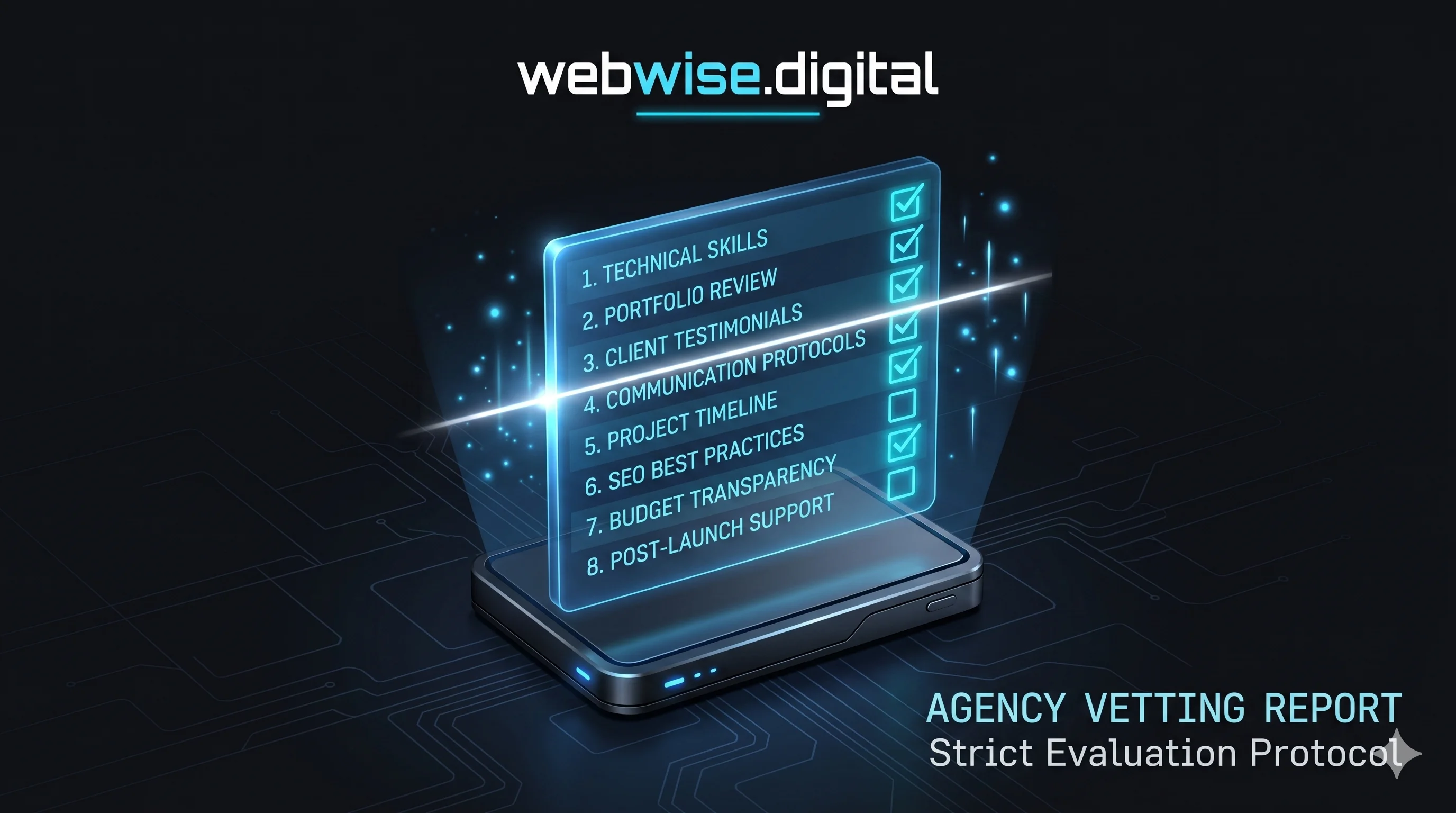
The 2026 guide to hiring a web studio without getting burned — worldwide, any niche, any budget
Most businesses that get burned by a web design agency are not burned by outright fraud. They are burned by a gap between what they assumed they were buying and what was actually delivered — a gap that a handful of direct questions, asked before the contract was signed, would have closed entirely. The agency was not necessarily dishonest. The client was not necessarily naive. The problem was that nobody defined the terms.
This guide gives you the ten questions that close that gap. They are the questions that separate a professional studio — one that will build you a fast, conversion-focused website you own outright and that ranks on Google — from one that will hand you a slow template, lock you into a twelve-month contract, and disappear when the job is done. For each question, there is a green flag answer (what a trustworthy agency says) and a red flag answer (what should make you end the conversation).
These questions apply worldwide — whether you are a plumber in Kent, a yoga studio in Melbourne, a law firm in Toronto, or a restaurant in Dubai. The fundamentals of a good web design engagement do not change by geography or niche. What changes is the specific trust signals and conversion triggers relevant to your industry — but those are details that flow from a well-structured engagement, not substitutes for one.
Why Most Web Design Projects Go Wrong
Before the questions, it is worth understanding why the failure rate in web design projects is so high. A 2023 survey by Clutch found that nearly half of small business owners who commissioned a website were dissatisfied with the result — not because the site looked bad, but because it did not do what they needed it to do: generate enquiries, rank on Google, load fast on mobile, and be maintainable without calling a developer every time something needed updating.
The root causes split into four categories:
Misaligned expectations: The client assumed the site would rank on Google. The agency assumed that was the client's job after launch. Neither assumption was written down.
Template inflation: The agency sold a "custom" site that was a template with a logo and colour swap. The client could not tell the difference until six months later when they found the same layout on a competitor's site.
Ownership ambiguity: The site was built on the agency's hosting account, under the agency's domain registrar. When the relationship ended, the client discovered they did not technically own the site they had paid for.
No conversion architecture: The site looked good on desktop but the phone number was buried, the mobile experience was an afterthought, and there was no call to action above the fold. Traffic arrived and left without converting.
Every one of these failure modes is detectable before the contract is signed — if you know which questions to ask. The ten questions below are designed to surface them.
Question 1: "Will you build this from scratch, or start from a template?"
This is the first question because the answer determines the ceiling of what the site can achieve. A hand-coded website built from scratch and a template site with your logo and colours on it are not the same product, even when they cost the same and look superficially similar. The differences emerge over time — in load speed, in SEO performance, in how easily the site can be modified, and in how it ages as your business grows.
Template sites ship with the code for every feature the template supports, whether your site uses those features or not. A single-service plumbing site built on Elementor might load 400KB of CSS for sliders, mega-menus, and shop functions it does not contain. A hand-coded equivalent loads only what the page needs. The difference shows up in Google's Core Web Vitals — the speed metrics that are now official ranking signals — and in the percentage of mobile visitors who stay long enough to enquire.
✅ GREEN FLAG — Built from scratch on a modern framework
The agency names the stack — Next.js, Astro, SvelteKit, Laravel, or similar. They can explain why they chose it and what it means for your page speed and SEO. They have worked on the framework before and can show you examples.
🚩 RED FLAG — We use WordPress / Wix / Squarespace templates — it's faster and more cost-effective
Template sites are faster to build for the agency, not faster for your visitors. The cost-effectiveness is the agency's, not yours. The long-term cost — in missed rankings, slow mobile loads, and difficult future updates — falls on you.
💡 TIP — Ask to see a Lighthouse score
Ask the agency for the Google Lighthouse or PageSpeed Insights score of a recently delivered client site on mobile. A score of 90+ on Performance means they know what they are doing. A score below 70 means they do not prioritise what Google prioritises.
Question 2: "Who will actually build my website?"
The person who presents the proposal and the person who writes the code are frequently different people in larger agencies — and sometimes different people in different countries. This is not inherently a problem, but it is a risk if the handoff between "the person who understood your brief" and "the person who builds the site" is lossy. In practice, it often is.
The highest-quality builds tend to come from studios where the person who takes the brief is the same person who makes the key decisions on design and structure — because no brief document captures everything. The nuances of tone, the specific conversion trigger that matters for your industry, the instinct about which page structure will work for your customers — these travel most reliably from brief to build when the same person holds both.
✅ GREEN FLAG — We're a small studio — I take the brief and I build the site
A two-person studio where one person designs and codes and the other handles copy and SEO is often the highest-quality option in the small business market. The communication overhead is zero. The context loss between brief and build is zero.
🚩 RED FLAG — Your account manager will coordinate with our development team
Reasonable at enterprise scale; a risk at small business scale. Ask who the developer is, whether you can speak to them directly, and whether they have built in your industry before.
💡 TIP — Ask who your point of contact is after launch
The highest-risk moment in any web project is after launch, when you have a question or a change request. Ask explicitly: who do I contact? How quickly do they respond? Is there a support ticket system or a direct line? The answer tells you how much the agency values the relationship vs the transaction.
Question 3: "What exactly is included in the price — and what will cost extra?"
Web design proposals are extraordinarily variable in what they include. Two proposals priced at £1,500 can represent wildly different scopes: one includes copywriting, on-page SEO, schema markup, mobile optimisation, and three rounds of revisions; the other includes five pages of "design" with stock images and placeholder text, and charges separately for everything else. Without a line-by-line scope breakdown, the headline number means nothing.
The specific items to ask about explicitly:
Copywriting: Is the page text written by the agency, or do you supply it? If you supply it, what format? If they write it, is it included or billed separately?
Photography: Are real photos of your business included? If so, is this a professional shoot or stock imagery? If stock, who chooses the images?
On-page SEO: Are page titles, meta descriptions, heading structures, and image alt tags set by the agency? Or is that handed to you as "your job" after launch?
Schema markup: Is structured data (LocalBusiness, Service, FAQ schema) included? Most agencies do not include this and many have never heard of it.
Revisions: How many rounds of revisions are included? What counts as a revision? Is a structural change treated differently from a copy change?
Hosting setup: Does the agency handle domain, DNS, SSL, and hosting configuration, or do you receive a set of files and instructions?
Post-launch support: If something breaks in the first month, is the fix included? After the first month, what is the support model?
✅ GREEN FLAG — Here is a line-by-line scope document — let's go through it together
A professional agency presents a written scope before taking a deposit. The scope names every deliverable, every page, every integration, and every post-launch commitment. Anything not on the scope is out of scope.
🚩 RED FLAG — The price covers the design — other stuff we can quote as we go
"As we go" billing is how small projects become expensive ones. Every "small addition" during a build is an opportunity to charge more. Get everything in writing before the first payment.
Question 4: "Will I own the website outright when it's finished?"
This question has two parts, and both matter. The first is ownership of the domain — the web address itself. The second is ownership of the code — the files that make the site work. These are separate assets, and it is possible to own one without owning the other.
A business that does not own its domain cannot point it to a new host without the agency's cooperation. A business that does not own its code cannot move the site without rebuilding it. Both scenarios create dependency on the agency — which gives the agency leverage at renewal time and exposes the business to serious risk if the relationship ends badly or the agency closes.
The correct answer is that the client owns both — from day one. The domain should be registered in the client's name, in the client's registrar account. The code should be delivered to the client's repository (GitHub, GitLab, or similar) at launch. Hosting should be on an account the client controls, or on an account that is trivially transferable. Every WebWise build ships with all three in the client's hands by launch day. The studio retains no leverage and no ongoing dependency.
✅ GREEN FLAG — The domain is in your name, the code goes to your repository, hosting is transferable
This is the baseline expectation for a professional engagement. If the agency volunteers this before you ask, it is a strong trust signal.
🚩 RED FLAG — We host all our client sites on our servers / the site is built on our platform
This creates dependency that may be benign in a good relationship and catastrophic in a bad one. Ask explicitly: if I stop paying you, what happens to my site? If the answer involves the site going offline, you do not own it.
💡 TIP — Check the domain registrar today
If you already have a website, look up your domain on whois.domaintools.com. If the registrant contact is your agency's name or email address rather than yours, your domain is not fully yours. Fix this before starting any new build project.
Question 5: "How will this website be found on Google?"
This is the question that most separates web design studios from web design studios that understand the internet. A beautiful website that does not appear in Google search results is a brochure nobody receives. And the relationship between web design and search visibility is tighter than most business owners realise — because the decisions made during the build (page structure, load speed, schema markup, content, mobile experience) directly determine how well the site can rank, both immediately and over time.
Ask the agency specifically: what will you do during the build to give this site the best possible foundation for Google rankings? The answer should include at minimum: keyword-informed page titles and meta descriptions, a logical heading structure (H1, H2, H3 used semantically not decoratively), schema markup for the business type and services, fast load times (Core Web Vitals in the green zone), a mobile-first build, and submission to Google Search Console on launch day.
Beyond the build, ask what ongoing SEO support looks like. A well-built site is the foundation; local SEO is the compound interest on top of that foundation. Town-specific pages, service-specific pages, a content strategy, Google Business Profile optimisation, and citation building are the mechanisms that build rankings over months. A studio that treats SEO as a separate conversation from the build is a studio that may not understand how the two are connected.
✅ GREEN FLAG — SEO is built into the site structure from day one — here is specifically what we include
The agency can explain what they do and why it matters. They mention schema, Core Web Vitals, meta structure, and can show you examples of client sites that rank well.
🚩 RED FLAG — SEO is a separate service / we build the site and you handle the marketing
This is technically defensible but practically a warning sign. It suggests the agency treats design and visibility as unrelated — which means the build may not have the technical SEO foundations that make later ranking work effective.
Question 6: "Can I see three examples of sites you've built that generate leads?"
Most agency portfolios show sites that look good. Fewer show sites that work well. These are different things, and it is important to distinguish between them. A site with a beautiful animated hero, a sophisticated colour palette, and award-winning typography may convert at 0.8% — meaning 99.2% of its visitors leave without taking any action. A site with a clear headline, a tappable phone number, a visible star rating, and a fast load time may convert at 7% — meaning it generates eight times as many leads from the same traffic.
When reviewing portfolio examples, look past the aesthetics and ask three questions. First: is the phone number visible above the fold on mobile without scrolling? Second: is there a clear, specific call to action — not "learn more" or "contact us" but something that names the action ("Get a Free Quote", "Call Now — Available 24/7")? Third: does the site load in under two seconds on a mobile connection? You can test load speed yourself using PageSpeed Insights (pagespeed.web.dev) — just paste the URL.
If the agency's own portfolio sites fail these three tests, their client sites likely do too. If the agency cannot name a client who has seen measurable improvement in enquiries after the build, the agency has not been paying attention to the right outcomes. The WebWise work page exists precisely for this reason — every case study describes not just what was built but why it was built that way and what it is designed to achieve.
✅ GREEN FLAG — Here are three client sites — here's the PageSpeed score on each and here's what the client says about leads
An agency that can connect their builds to client outcomes — more calls, more enquiries, more bookings — is one that measures the right thing.
🚩 RED FLAG — Here is our portfolio / we don't share client performance data
Portfolio without performance data is like a restaurant showing you photos of food without telling you whether anyone liked the taste. Push for testimonials, case studies, or a client reference you can contact.
💡 TIP — Ask for a live client reference
Ask the agency: "Can I speak to one of your recent clients before I decide?" A confident agency with happy clients will say yes immediately. An agency that hesitates has something to manage.
Question 7: "What happens if I need to change something after launch?"
A website is not a finished product on launch day. It is the start of a working relationship between the business and its online presence. Prices change. Services change. Staff join and leave. A seasonal campaign needs a new landing page. A review that came in last week should be added to the homepage. A blog post needs publishing. If every one of these changes requires raising a support ticket, waiting three to five business days, and paying an hourly rate, the site becomes a liability rather than an asset.
There are two models for post-launch changes, and both are legitimate depending on the client's situation. The first is a care retainer — a monthly fee that covers hosting, security, and a defined allowance of change requests. The second is a content management system (CMS) — a backend interface that lets the business owner make text, image, and content changes without touching the code. The best setups offer both: a CMS for routine content changes, and a retainer for structural changes and ongoing ranking work.
Ask specifically: if I want to add a new service page, what does that process look like and what does it cost? If I want to update my phone number, can I do that myself? If the site goes down at 11pm on a Saturday, who do I call? These are not trick questions — they are the questions that define the post-launch relationship, which is where most agency relationships deteriorate.
✅ GREEN FLAG — Here's our retainer — it covers X, Y, Z. For things outside that, here's our day rate and typical turnaround
Transparent, specific, written down. You know what you are buying and what it costs.
🚩 RED FLAG — We'll handle it / just email us / we'll sort it out
Vague post-launch commitments are the most common source of client frustration. "We'll sort it out" is not a service level agreement.
Question 8: "Is there a minimum contract, and what happens if I want to leave?"
Contracts are not inherently a red flag — some ongoing services (hosting, SEO retainers, care plans) involve recurring costs that justify a minimum commitment. What is a red flag is a long contract for the ongoing service component that the agency uses to extract revenue from a client who is no longer getting value. A twelve-month minimum retainer for SEO work that has produced no measurable results after six months is not a service — it is a subscription to disappointment.
The questions to ask: Is the initial build fee a one-off fixed payment, or is it spread across a minimum contract? If I stop paying the retainer after month three, what happens to my site? Do I still own everything? Are there exit fees or transfer costs? Can I move to a different provider for hosting or SEO while keeping the site you built?
The studio model that earns the most trust is also the simplest: fixed price for the build, no minimum for the retainer, cancel any month, own everything from day one. Clients who get value stay. Clients who do not get value leave, and the studio learns from that. No contractual override required. The WebWise care retainer is priced at £49/month with no minimum term — because a client who stays because the site is working has a very different energy from one who stays because they are contractually required to.
✅ GREEN FLAG — Build is a fixed one-off. Retainer is monthly, cancel any time, you keep everything
This is the model that aligns the studio's incentives with the client's outcomes. The studio only gets paid month-to-month if it keeps delivering value.
🚩 RED FLAG — We require a 12-month minimum on the retainer / early exit fees apply
A minimum contract on an ongoing service is a bet that the client will not be satisfied enough to stay voluntarily. That bet should raise the question: why not?
Question 9: "How will I know if the website is actually working?"
This is the question most business owners forget to ask, and it is the one that determines whether the relationship with the agency ever produces clarity or just receipts. A website that is "working" means different things to different businesses: more calls, more form submissions, more bookings, more product purchases, higher average order values, lower bounce rates. The metric should be defined at the start of the project, not discovered after launch.
Ask the agency: what will you set up to measure whether this site is generating results? The minimum answer should include Google Analytics 4 with conversion events configured — phone call clicks, form submissions, WhatsApp taps, booking link clicks — all tracked separately and attributed to traffic sources. Google Search Console should be connected and reviewed monthly, showing which search queries are bringing visitors to which pages. If the business is running Google Ads, conversion tracking should be wired from Ads into Analytics so every click can be attributed to a specific outcome.
Beyond the technical setup, ask what reporting looks like. Will you send me a monthly summary? Will it be a login to a dashboard I have to interpret myself, or a plain-English document that tells me what changed and what to do next? The answer tells you whether the agency treats reporting as a client service or an obligation to be minimised. The WebWise monthly report — included with every care retainer — is a single page: rankings moved, calls attributed, traffic sources, and one recommended action. No dashboard login. No agency jargon.
✅ GREEN FLAG — We configure Analytics and Search Console on launch day, and send a plain-English report each month
Proactive, specific, human. The agency wants you to know whether the site is working because they are confident it will.
🚩 RED FLAG — We set up Google Analytics — the reporting is something you can access from the dashboard
Passing the reporting responsibility back to the client without any interpretation is not reporting — it is data dumping. Most clients do not have the knowledge to interpret a raw Analytics dashboard, which is why they hired an agency.
💡 TIP — Ask who controls the Analytics account
Your Google Analytics and Search Console accounts should be owned by you — the business — with the agency added as a user. If the agency owns the account and you are a viewer, you lose access to your own data if the relationship ends.
Question 10: "What makes you different from the other agencies I'm speaking to?"
This is the question most business owners are afraid to ask directly, because it feels confrontational. It is not. It is the most important question on the list, because it forces the agency to articulate their positioning — and the answer (or the inability to answer clearly) tells you whether the agency has a genuine point of view or is simply trying to win the work.
A confident, honest answer might sound like: "We are a two-person studio that builds everything from scratch in Next.js — no templates, no subcontractors, no junior developers. We work with small businesses in any niche, worldwide, and every build includes conversion architecture and on-page SEO as standard. We do not take more than four active projects at a time so nothing gets deprioritised. Our sites consistently score 90+ on Google Lighthouse on mobile." That answer is specific, verifiable, and differentiating.
A vague answer might sound like: "We are passionate about delivering results for our clients and we pride ourselves on communication and creativity." That answer describes every agency in existence, including the ones that have burned the clients who are now talking to you. Vague positioning is the agency equivalent of the homepage tagline problem described in our CRO guide: if the answer does not answer the question "why you specifically?", it is not an answer.
✅ GREEN FLAG — Here is specifically what we do differently — and here is evidence that it works
Stack, process, portfolio, client outcomes. Specific, verifiable, confident.
🚩 RED FLAG — "We're passionate about your business" / "We offer end-to-end digital solutions"
These phrases are the calling card of an agency that has not thought clearly about what it is good at. Generic positioning in a pitch is a reliable predictor of generic output in a build.
Bonus: Five Questions Most People Never Think to Ask
The ten questions above cover the essentials. These five go deeper — they are the questions that separate a thorough evaluation from a superficial one, and they consistently surface information that changes the hiring decision.
B1: "What do you refuse to build on?"
A studio with genuine technical standards will tell you without hesitation. "We don't build on Wix because the code output is not portable and the page speed is not competitive." "We don't use Elementor because the generated CSS is bloated and kills Core Web Vitals." "We don't build on GoDaddy's website builder because you can't export the site." A studio without standards will say "we can work with any platform" — which is true, and a warning sign.
B2: "What is the last thing you built that you're most proud of — and why?"
This question reveals what the agency values. An answer that leads with aesthetics ("it looked incredible, the animations were really sophisticated") tells you they optimise for the wrong output. An answer that leads with outcomes ("we built a site for a roofer in Kent and within three months it was ranking top three in the map pack for six different service searches, and they now get more calls from the website than from any other source") tells you they optimise for the right one.
B3: "What is the most common mistake your clients make after launch?"
A studio that has worked with small businesses for any length of time will have a clear, honest answer to this. Common correct answers: "They don't keep their Google Business Profile updated." "They stop asking for reviews once the initial momentum passes." "They don't publish content after the initial blog posts we help them with." These answers demonstrate that the studio thinks beyond the build and understands the full picture of online performance. An agency that cannot answer this question has not been paying attention to what happens after launch.
B4: "Do you have any clients I'm not allowed to contact as references?"
A deliberately strange question — but a revealing one. Every agency has clients they would not choose as references because the relationship did not go well. Asking whether any references are off-limits forces an honest conversation about the agency's track record that a standard "here are our three best clients" reference list does not. A studio that has genuinely happy clients across the board will react to this question with amusement, not defensiveness.
B5: "What does your own website score on Google PageSpeed Insights?"
Test it yourself before the meeting. Go to pagespeed.web.dev, enter the agency's URL, and run the test on mobile. An agency whose own site scores below 70 on Performance is an agency that either does not prioritise what Google prioritises, or does not apply to themselves the same standards they would apply to a client. A studio that practices what it preaches will have a Lighthouse score it is proud to show you. WebWise does.
The Agency Scorecard: Bring This to Every Meeting
The table below is a printable scorecard. Use it in every agency evaluation — in person, on a call, or by sending the questions in advance and assessing the responses. Score each question 0 (red flag), 1 (neutral / partial), or 2 (green flag). A total score of 16 or above means the agency is worth proceeding with. Below 12 means walk away.
Question | Green flag answer (2) | Red flag answer (0) | Score |
Built from scratch? | Names the framework, shows examples | Template / page builder default | / 2 |
Who builds it? | Named people, small team, direct access | Account manager / offshore team | / 2 |
Full scope in writing? | Line-by-line scope before deposit | "We'll quote as we go" | / 2 |
You own everything? | Domain + code + hosting in your name | Agency hosts / platform lock-in | / 2 |
Google visibility plan? | SEO baked into build, names specifics | "SEO is a separate conversation" | / 2 |
Portfolio with results? | Case studies with outcomes + page speed | Portfolio only, no performance data | / 2 |
Post-launch changes? | Named process, retainer or CMS, SLA | "Just email us / we'll sort it" | / 2 |
No long contracts? | Fixed build, monthly retainer, cancel anytime | 12-month minimum, exit fees | / 2 |
Reporting included? | Plain-English monthly report, you own accounts | Dashboard login, reporting is on you | / 2 |
Clear differentiation? | Specific, verifiable, backed by evidence | Passion / end-to-end solutions | / 2 |
What to Do With This Guide
The ten questions above are not just for evaluating other agencies. They are the standard every web design engagement should be held to — including any you have already signed. If you have a website and cannot answer "yes, I own everything outright", "yes, I can see monthly data on how many enquiries my site generated", and "yes, the site loads in under two seconds on mobile", there is work to do.
The three most common situations this guide helps with:
You are evaluating agencies for the first time: Use the scorecard. Take it to every call. The agency that scores highest is not necessarily the cheapest or the one with the most impressive slide deck — it is the one that answers the hardest questions the most clearly.
You have a site that is not performing: Run it through the CRO checklist in our previous guide to diagnose what is breaking. Then use the questions above to evaluate whether your current agency is the right partner to fix it.
You are rebuilding after a bad experience: The scorecard is the filter. Any agency that cannot clearly answer Question 4 (ownership) and Question 7 (post-launch changes) is an agency that is likely to reproduce the problem you are recovering from.
If you would like to put WebWise through its paces on the same ten questions, the 15-minute call is the place to do it. Ask every question on this list. If the answers are not clear, specific, and verifiable — do not hire us. That is the same standard we apply to every agency we recommend our clients consider.
The 15 Keywords This Article Targets
Keyword | Search intent | Section |
how to choose a web design agency | Buyer evaluating options | Throughout |
questions to ask web designer | Buyer preparing for a meeting | All 10 questions |
web design agency red flags | Buyer with prior bad experience | Red flag callouts |
hiring a web designer 2026 | Buyer researching current market | Introduction, Q1 |
what to look for in a web design agency | Research-stage buyer | Q1–Q10 structure |
web design agency green flags | Buyer building evaluation criteria | Green flag callouts |
how to avoid bad web designers | Buyer burned before | Why projects go wrong |
web design agency checklist | Buyer wanting a structured tool | The scorecard table |
custom website agency vs freelancer | Buyer comparing options | Q2 (who builds it) |
web design agency fixed price | Buyer with budget anxiety | Q3, Q8 |
do I own my website | Buyer with ownership concern | Q4 |
web design agency portfolio questions | Buyer evaluating evidence | Q6 |
website agency no contract | Buyer avoiding lock-in | Q8 |
how to hire a web developer | Broad research intent | Introduction, Q2 |
best web design agency for small business | High-intent buyer | Conclusion, throughout |
Conclusion: The Right Questions Change Everything
Most bad web design projects are not the result of bad faith. They are the result of unclear expectations, unwritten scope, and assumptions left unexamined until they produce a result nobody wanted. The ten questions in this guide — asked clearly, in writing, before any payment is made — eliminate the gap between what the business expects and what the agency delivers.
The agency that answers all ten questions well is the agency worth hiring. The one that deflects, qualifies, or turns the conversation back to their portfolio is the one that has not yet figured out how to describe what they actually do — and that ambiguity is the raw material for every bad web design story that ever started with "I paid £X and got nothing in return."
The best web design studios — the ones that produce fast, hand-coded sites that rank and convert — welcome these questions. They have clear answers to all of them. They have already thought through ownership, scope, post-launch support, and the connection between design and SEO and conversion. They do not need vague positioning or minimum contracts because they are confident the work will speak for itself.
Put us through the test at webwise.digital/contact. Bring every question on this list. We will answer all of them.