
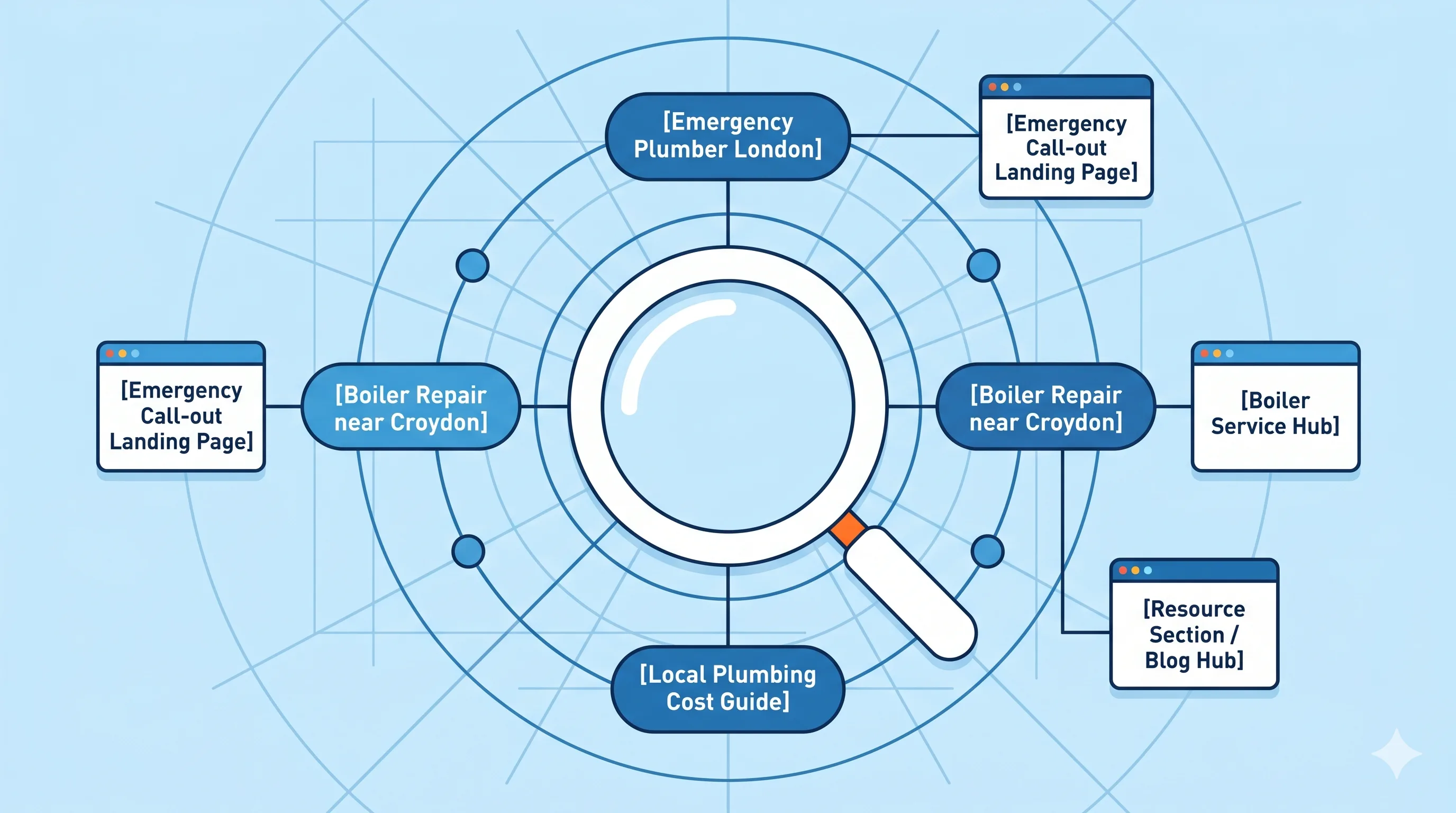
One keyword, one page, one job — the system that stops your own pages competing against each other
The most common outcome of a UK tradesman doing their own keyword research is a list — sometimes a genuinely good list, built using the free tools covered in our previous guide — that never gets assigned anywhere specific. The keywords sit in a notes app or a spreadsheet, and the website gets built or updated based on general impressions of what seems important, rather than a deliberate plan connecting each keyword to exactly one page. The result, almost every time, is a handful of pages all loosely trying to rank for the same handful of obvious terms, while dozens of genuine, winnable searches go completely uncaptured.
📐 THE RULE — One keyword. One page. One job.
Every page on your website should have exactly one primary keyword it is trying to rank for, and every primary keyword should belong to exactly one page. If two pages on your site are both trying to rank for "emergency plumber Croydon", they are not reinforcing each other — they are actively competing against each other, splitting the relevance signal Google would otherwise concentrate on a single, stronger page. This single rule, applied consistently, is the foundation of everything in this guide.
This guide turns the keyword research methodology from our companion article into a practical mapping system: a clear method for sorting keywords into clusters, assigning each cluster to a single page, and a ready-to-copy template mapped specifically for a UK plumbing or heating website that you can adapt directly for your own trade and area. At WebWise Digital, this exact mapping process is the first thing we build for every UK trade client before a single page is written.
1. Why a Keyword List Is Not a Strategy
A spreadsheet with fifty plumbing-related keywords is research. It only becomes a strategy once every keyword has been assigned a specific destination — an existing page, a page that needs to be built, or a deliberate decision to not target it at all because it does not match a real customer intent worth a dedicated page. Without this step, the most common failure pattern emerges: a homepage that vaguely mentions everything, two or three service pages that overlap significantly in the terms they target, and dozens of genuinely valuable, specific searches — "power flush cost Croydon", "CP12 landlord certificate Bromley", "Worcester Bosch installer Sutton" — left completely uncaptured because no page exists for them.
2. Step One: Cluster Your Keywords by Genuine Search Intent
Before assigning keywords to pages, group them into clusters based on what the searcher actually wants — not just shared words. "Boiler repair Croydon", "boiler not working Croydon", and "boiler broken Croydon" are the same cluster, because every one of these searchers wants the same thing: someone to fix their boiler now. "Boiler repair Croydon" and "boiler installation Croydon" are different clusters, despite sharing the word "boiler", because the searcher's intent — fix vs replace — is fundamentally different, and deserves a different page with different content, different urgency framing, and a different price expectation set.
2.1 The Three-Question Cluster Test
For any pair of keywords, ask:
Would the same page genuinely satisfy both searches? If a visitor searching either term would be happy landing on the same page, they belong in the same cluster.
Is the urgency level the same? "Emergency boiler repair" and "annual boiler service" are both about boilers, but one is a panic search and one is a planning search — different urgency means different clusters, even if some vocabulary overlaps.
Is the underlying job the same? "New boiler cost" and "boiler repair cost" both contain "cost" and "boiler" but describe entirely different jobs — separate clusters.
3. Step Two: Assign Every Cluster to a Page Type
Once keywords are clustered by intent, each cluster needs a home — and for a UK trade website, there are five page types that cover the overwhelming majority of genuine search intent. This structure connects directly to the four-stage customer journey covered in our content system guide.
Page type | What it captures | Example cluster |
Homepage | Broad brand + primary trade + primary location | "plumber [your main town]" |
Service pages | Specific job, ready-to-hire intent | "boiler repair [town]", "power flush [town]" |
Town/area pages | Same services, different location, outside primary base | "plumber [secondary town]" |
Cost guides / blog posts | Research-stage, informational intent | "how much does a new boiler cost" |
FAQ / diagnostic posts | Problem-aware, symptom-based searches | "why is my boiler making a banging noise" |
🛠️ FIELD NOTE — The mistake almost every self-built trade site makes
The single most common structural error WebWise finds when auditing an existing UK trade website is a single "Services" page trying to capture every service cluster simultaneously, alongside a single "Areas We Cover" page trying to capture every town cluster simultaneously. Both pages are too thin and too broad to rank strongly for any individual search, because they are fighting to serve dozens of different intents on one URL. Splitting these into individual pages — one per service cluster, one per significant town — is consistently the single highest-impact structural change in any audit.
4. The Complete Keyword Map for a UK Plumbing and Heating Website
The table below is a ready-to-copy keyword map for a typical UK plumbing and heating business. Copy this structure into your own spreadsheet, replace [Town] with your actual primary location, and add your secondary towns as additional rows following the same pattern. This single table represents the page-by-page foundation covered across our local SEO guide and our heating engineers and plumbers SEO guide, translated into a literal, usable map.
Page | Primary keyword | Secondary keywords (same page) | Page type |
Homepage | plumber [Town] | heating engineer [Town], Gas Safe plumber [Town] | Homepage |
Emergency Plumber [Town] | emergency plumber [Town] | 24 hour plumber [Town], no hot water [Town], burst pipe [Town] | Service page |
Boiler Repair [Town] | boiler repair [Town] | boiler not working [Town], boiler broken [Town] | Service page |
New Boiler Installation [Town] | new boiler installation [Town] | boiler replacement cost [Town], combi boiler installer [Town] | Service page |
Annual Boiler Service [Town] | boiler service [Town] | annual boiler check [Town], gas safety check [Town] | Service page |
Landlord Gas Safety Certificate [Town] | CP12 [Town] | landlord gas safety certificate [Town], gas safety check rental property | Service page |
Power Flushing [Town] | power flush [Town] | power flushing cost [Town], central heating sludge removal | Service page |
Bathroom Fitting [Town] | bathroom fitting [Town] | bathroom plumber [Town], bathroom installation [Town] | Service page |
Plumber [Second Town] | plumber [Second Town] | emergency plumber [Second Town] | Town page |
Plumber [Third Town] | plumber [Third Town] | emergency plumber [Third Town] | Town page |
How Much Does a New Boiler Cost Blog Post | how much does a new boiler cost UK | boiler installation cost 2026 | Cost guide |
Combi vs System Boiler Blog Post | combi vs system boiler | which boiler is right for my home | Comparison guide |
Why Is My Boiler Making a Banging Noise Blog Post | why is my boiler making a banging noise | boiler kettling noise causes | Diagnostic post |
💡 TIP — Adapt this exact structure for electricians, builders, or roofers
The same mapping principle applies directly to every other trade — only the specific service clusters change. An electrician's map would replace boiler-specific rows with "Consumer Unit Upgrade [Town]", "EV Charger Installation [Town]", "EICR Test [Town]", and "Fuse Box Tripping [Town]" diagnostic content. The five-page-type structure (homepage, service pages, town pages, cost guides, diagnostic posts) and the one-keyword-one-page discipline remain identical regardless of trade.
5. Secondary Keywords: How Many Per Page, and Why Not More
A genuine point of confusion in keyword mapping is whether a page can target more than one keyword. The answer is yes, but with discipline: a page has one primary keyword (the search it is built to win above all else) and a small number of closely related secondary keywords that the same content can naturally also rank for, because they describe the same underlying intent in slightly different words. "Boiler not working" and "boiler broken" are legitimate secondary keywords on a "boiler repair" page, because they are simply different phrasings of the identical search intent.
What does not work is treating secondary keywords as an excuse to cram unrelated intents onto a single page. A "boiler repair" page should not also try to rank for "boiler installation" by adding a paragraph about new boilers at the bottom — that is a different intent, deserving its own page, as established in Section 2. The discipline is: secondary keywords reinforce the primary keyword's intent; they do not expand into different intents.
6. Filling the Map: A Practical Worksheet Process
With the page-type structure and example map above as a reference, the practical process for building your own keyword map:
List every keyword found through the free-tool research covered in our previous guide — autocomplete, "People also ask", AnswerThePublic, GBP Insights, and direct customer conversations.
Cluster them using the three-question test in Section 2 — group keywords that share genuine intent.
Assign each cluster to a page type from the table in Section 3.
For each page, identify the single strongest, most specific keyword as the primary, and list the remaining cluster members as secondary keywords for that same page.
Check for collisions — does any keyword appear on more than one page in your map? If so, decide which page genuinely deserves it and remove it from the other.
Identify gaps — are there genuine, confirmed local searches (from Section 4 of our keyword tools guide) that do not yet have a page assigned? These are your next pages to build.
7. Keeping the Map Alive: Reviewing and Updating Quarterly
A keyword map built once and never revisited becomes stale as search behaviour shifts, as you add new services or certifications (MCS for renewables, as covered in our heating engineers guide), and as your own Search Console data reveals genuine, confirmed search terms you had not originally mapped. A quarterly review — checking Search Console for new query opportunities, confirming no two pages have started competing for the same term, and adding new pages for any genuine gaps identified — keeps the map a living, accurate reflection of your actual site structure rather than a one-off exercise.
Conclusion: A Map Turns Research Into Results
Keyword research without mapping produces a list. Keyword mapping turns that list into a website where every page has a specific, defensible job — and where Google can clearly understand which page deserves to rank for which search, rather than being left to guess between two or three competing, overlapping pages on your own site. The table in Section 4 is a genuine starting template — copy it, adapt the trade-specific rows for your own services, and you have the foundation of a properly structured UK trade website.
If you would like this mapping process done for your specific business — research, clustering, and a complete page-by-page map ready to build from — the starting point is a 15-minute call at webwise.digital/contact. WebWise Digital builds this exact keyword map as the first deliverable in every UK trades engagement, before a single page of copy is written.
Further reading: our free SEO tools guide for the research methods that feed this map, and our local SEO complete guide for the technical page architecture each mapped page should follow.