How to Handle a Negative or Fake Google Review in 2026 Without Making It Worse
One specific mistake makes a fake review harder to remove. Here is the correct order of operations.
A one-star review lands on your Google Business Profile, sitting at the top of your listing for every customer who searches for you to see, and the instinct — completely understandable, completely human — is to respond immediately, publicly, and often defensively. That instinct, for a review that may be fake, is the single most common mistake businesses make, and it can genuinely reduce your chances of getting the review removed. This article covers the calm, correct order of operations for both situations: a genuinely fake or malicious review, and a real, frustrated customer who had a legitimately bad experience.
70% — of customers change their mind about a business after reading a thoughtful response to a negative review
170 million+ — fake reviews removed by Google in a single recent year — and still an estimated 10%+ of all reviews remain fake
3–5 days — typical processing time once a removal request is correctly submitted through Google's Reviews Management Tool
1. The First Decision: Is This Review Genuinely Removable?
Before doing anything else, the only question that matters is whether the review violates one of Google's specific, published policies — not whether it feels unfair. Google has been explicit and consistent on this point: a negative review from a real customer describing a real, if unflattering, experience will never be removed, however harsh it feels. Google does not arbitrate disputes about whether a business genuinely deserved a one-star rating.
Removable (violates policy) | Not removable, however unfair it feels |
Spam or fake content — written by a bot, paid for, or from someone who never used the business | A genuine customer describing a real bad experience, even if harshly worded |
Off-topic — about an unrelated business, or a political/personal rant with no connection to the service | A fair but critical review you simply disagree with |
Conflict of interest — written by a competitor, a former employee, or someone with a personal grudge | A review where the customer's expectations were, in your view, unreasonable |
Restricted content — hate speech, harassment, illegal activity, personal information disclosure | A review you cannot specifically verify against your own records, but cannot disprove either |
Impersonation — posted under a fake name or someone else's identity | A review that is simply old and you wish was no longer visible |
2. The Mistake That Reduces Your Chance of Removal
🚫 THE MISTAKE MOST BUSINESSES MAKE — Publicly responding to a fake review before reporting it
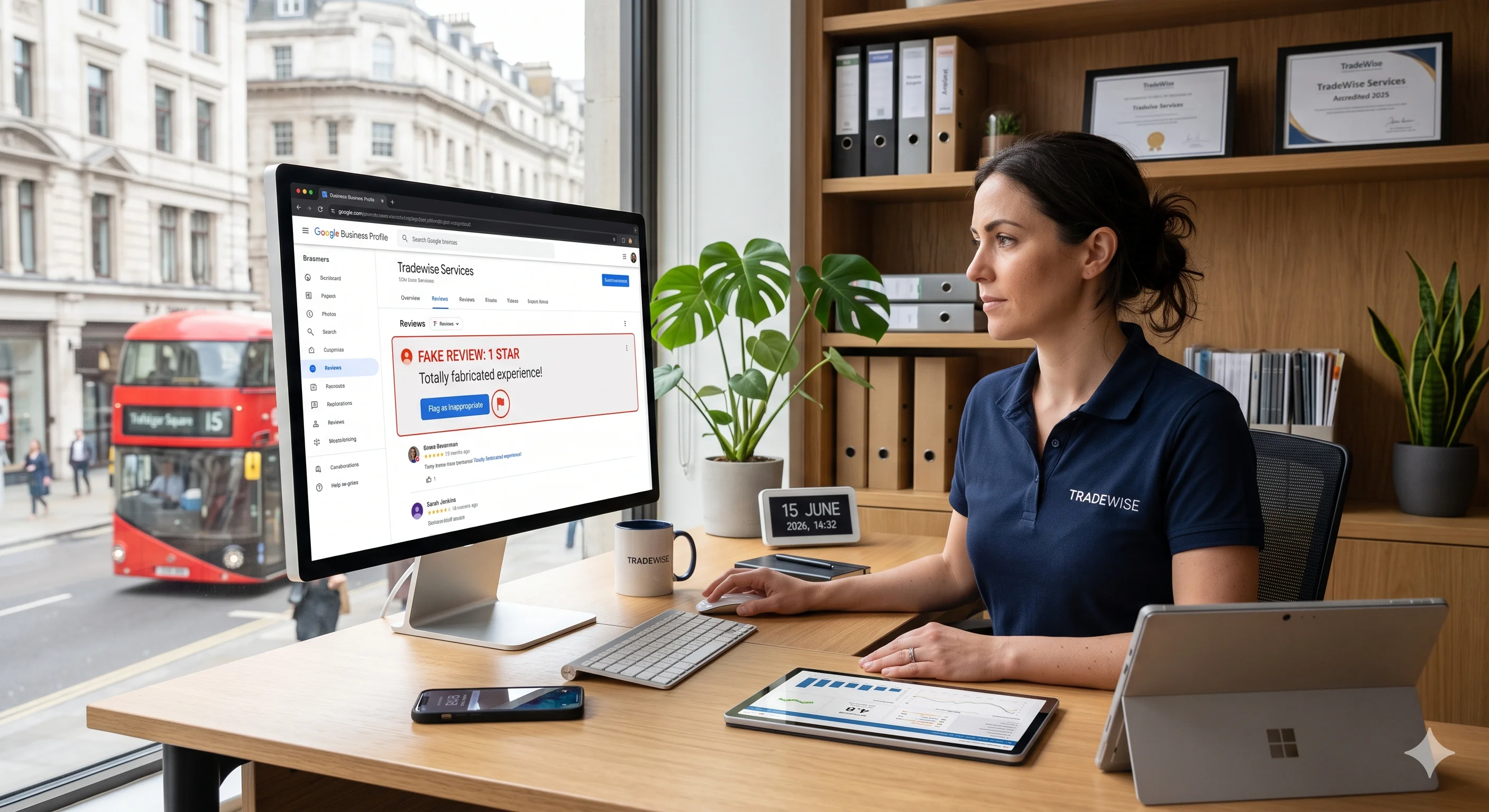
A genuinely counterintuitive but well-documented finding: responding publicly to a review you believe is fake, before reporting it, can work against you. A public reply can make the review appear more legitimate — as something worth formally engaging with — which can weaken your position when Google later assesses whether the review should be removed for policy violation. The correct sequence is the opposite of the instinct: report first, gather evidence second, and only consider a calm public reply once you know whether the removal route has succeeded or failed.
3. The Correct Process for a Genuinely Fake or Malicious Review
Do not respond publicly yet. Resist the urge, however strong, for at least the first 24 hours while you follow the steps below.
Gather evidence immediately. Screenshot the reviewer's full name, profile photo, star rating, review text, and date posted before it can be edited or the reviewer's account altered. Cross-check your own job records, invoices, and customer list for any match to the name or described situation.
Identify the specific policy violation. Match the review against the table in Section 1 and pick the single most accurate category — "Conflict of interest" for a suspected competitor or ex-employee, "Spam" for a clearly bot-generated or unrelated review, "Off-topic" for a review with no connection to a genuine interaction.
Flag it through your Google Business Profile. From your profile dashboard, select the review, choose the three-dot menu, select "Report review", and choose the specific, most accurate policy category — not a generic "I disagree with this" reason.
Open a support case in parallel, not instead. Beyond simply flagging the review, contact Google Business Profile support directly (via the Help and "Contact us" options inside your profile dashboard) and open a chat or email case specifically about the review. Reporting and escalating through support simultaneously meaningfully increases the rate and speed of successful removal compared to flagging alone.
Be specific and factual in every submission. Google's moderation systems respond far better to concise, specific, verifiable statements than emotional complaints. State exactly which policy is violated and why, with the evidence gathered in Step 2 attached.
If rejected, appeal — do not give up after one attempt. Most businesses submit one report, get a rejection or no response, and stop. Re-flagging with additional detail, or formally appealing through the Reviews Management Tool, frequently succeeds on a second attempt where the first did not.
💬 SCRIPT — A working escalation message template
"Hi, I'm reporting a review on my Google Business Profile that violates Google's review policies — specifically [name the exact category, e.g. conflict of interest / spam]. The review was posted by [name] on [date]. We have checked our complete customer and job records and have no record of any transaction matching this description. [Add any specific supporting detail: no matching invoice, no matching appointment, the reviewer's profile shows a pattern of similar reviews against competitors, etc.] We would appreciate this being reviewed against your stated policy."
4. The Correct Process for a Real, Negative Review
If the review is from a genuine customer describing a genuinely disappointing experience, the removal route in Section 3 does not apply, and pursuing it anyway wastes time while the review continues sitting visibly on your profile. The correct response here is not removal — it is a thoughtful, professional public reply, because the data is consistent and significant: 70% of customers change their mind about a business after reading a considered response to a negative review.
4.1 The Response Structure That Actually Works
Respond within 24 to 48 hours. Enable review notifications on your Google Business Profile so you see new reviews immediately, as covered in our dedicated GBP guide. A fast response demonstrates genuine attentiveness, which is itself part of the trust signal a prospective customer is reading for.
Never respond in the heat of the moment. Draft the reply, step away, and re-read it before posting. A defensive or irritated tone — even if technically justified — reads badly to every future customer who sees it, indefinitely.
Thank them first, genuinely. Even when the review stings, opening with genuine acknowledgement rather than immediate defence sets the tone for everything that follows.
Take ownership of what is genuinely yours to own. If something did go wrong on your end, say so plainly. If the situation is more nuanced, acknowledge the customer's frustration without necessarily agreeing with every specific claim.
Move the resolution offline. Offer a direct phone number or email to resolve the specific issue — this shows every future reader that you take action, not just words, and it gives the original customer a real path to update their review voluntarily.
Keep it brief. Three to four sentences is usually enough. A defensive essay reads as exactly that — defensive — regardless of how reasonable the individual points are.
✅ DO THIS INSTEAD — A genuine working example
"Thank you for taking the time to share this, and I'm genuinely sorry the job did not meet the standard we aim for. From what you've described, it sounds like [specific, brief acknowledgement]. I'd really like to put this right — please call me directly on [number] so we can sort it out properly." — Specific, brief, takes ownership, offers a real next step, and reads as exactly the kind of professional response that builds trust with the next reader, even if this particular customer never updates their rating.
5. Why Reviews Matter Beyond the Star Rating Itself
Beyond the immediate trust impact, every review — including the negative ones you respond to thoughtfully — contributes to local search relevance, as covered throughout our GBP and E-E-A-T guides. Reviews that mention specific services and locations enhance relevance matching for local search, and a high response rate across all reviews — positive and negative — is itself a prominence signal Google rewards independently of the star rating attached to any individual review.
This is also why the best long-term defence against the impact of any single negative or fake review, beyond the removal and response processes covered above, is the same review velocity discipline covered in our reviews automation guide: top-ranking local businesses average around 47 genuine reviews, and a single negative review surrounded by dozens of recent, genuine, specific positive reviews carries proportionally far less weight than the same review sitting on a profile with only a handful of reviews total.
Conclusion: Calm, Correct Order, Every Time
The single habit that prevents almost every mistake covered in this article is a brief pause before reacting — long enough to correctly classify the review as either genuinely fake (Section 1's table), genuinely real (Section 4), and to follow the correct process for whichever it actually is, rather than the instinctive one. A fake review handled with the report-first discipline in Section 3 has a real, documented chance of removal. A genuine negative review handled with the thoughtful, brief response in Section 4 has a 70% chance of changing the original customer's mind, and a near-certain chance of reassuring every future reader regardless.
If you would like help auditing your current review profile, setting up the automated review velocity covered in Section 5, or handling a specific review situation right now, the starting point is a 15-minute call at webwise.digital/contact.
Further reading: our Google Business Profile guide for UK tradesmen for the broader profile management this sits within, and our page-one ranking factors guide for how engagement and trust signals like reviews fit into the wider ranking picture.